• HOME
  • PORTFOLIO
    • ANIMATION
    • BRANDING
      • BRANDING
      • LOGO DESIGNS
    • CRAFTS
      • DECALS
      • CRAFT
      • HTV & VINYL
    • PHOTOGRAPHY
      • WILDLIFE
      • PRODUCT
      • MACRO
      • PHOTOGRAPHY (ALL)
    • ILLUSTRATION
      • ANALOGUE
      • DIGITAL
      • CREATURES
      • PROCREATE
      • ILLUSTRATION (ALL)
    • PRINTS
      • PRINT
      • FABRIC PRINTS
    • TUTORIALS
    • WEB
    • PORTFOLIO (ALL)
  • CONTACT
Elysian Element
  • HOME
  • PORTFOLIO
    • ANIMATION
    • BRANDING
      • BRANDING
      • LOGO DESIGNS
    • CRAFTS
      • DECALS
      • CRAFT
      • HTV & VINYL
    • PHOTOGRAPHY
      • WILDLIFE
      • PRODUCT
      • MACRO
      • PHOTOGRAPHY (ALL)
    • ILLUSTRATION
      • ANALOGUE
      • DIGITAL
      • CREATURES
      • PROCREATE
      • ILLUSTRATION (ALL)
    • PRINTS
      • PRINT
      • FABRIC PRINTS
    • TUTORIALS
    • WEB
    • PORTFOLIO (ALL)
  • CONTACT
Illustration of book_pages4

How to Use Masks to Control Opacity

Procreate Tutorial

Tutorial: achieve opacity w/ masks

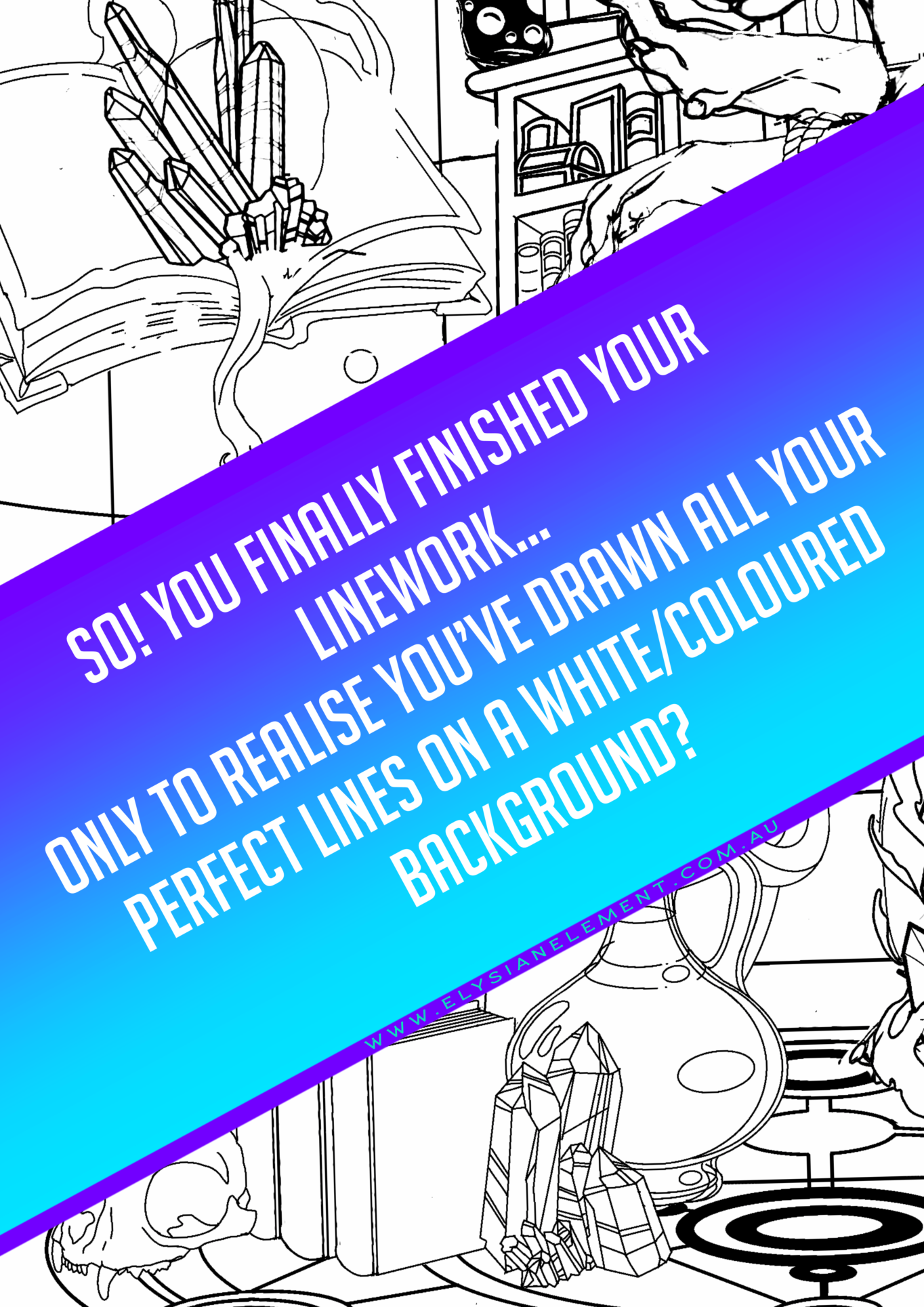
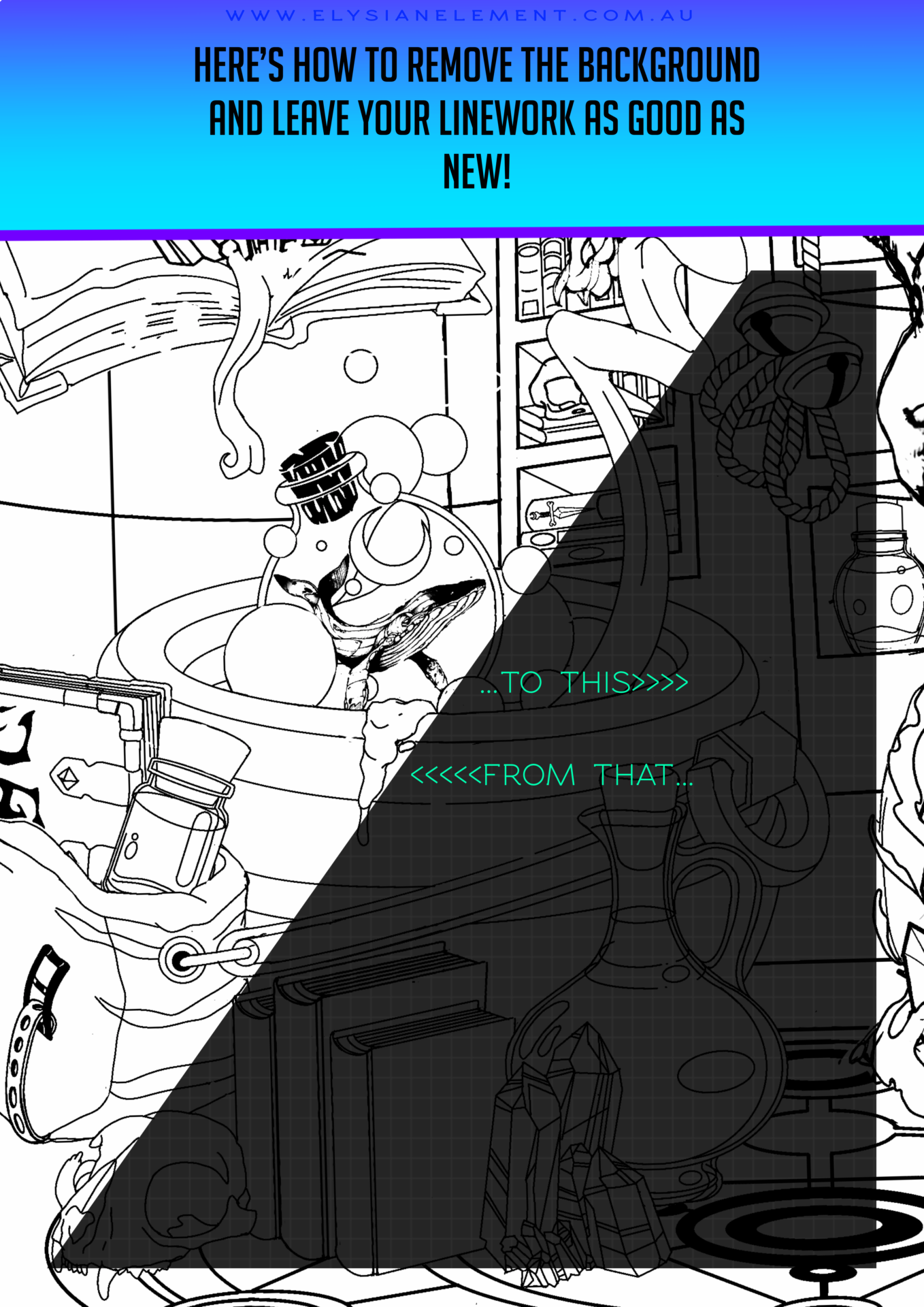
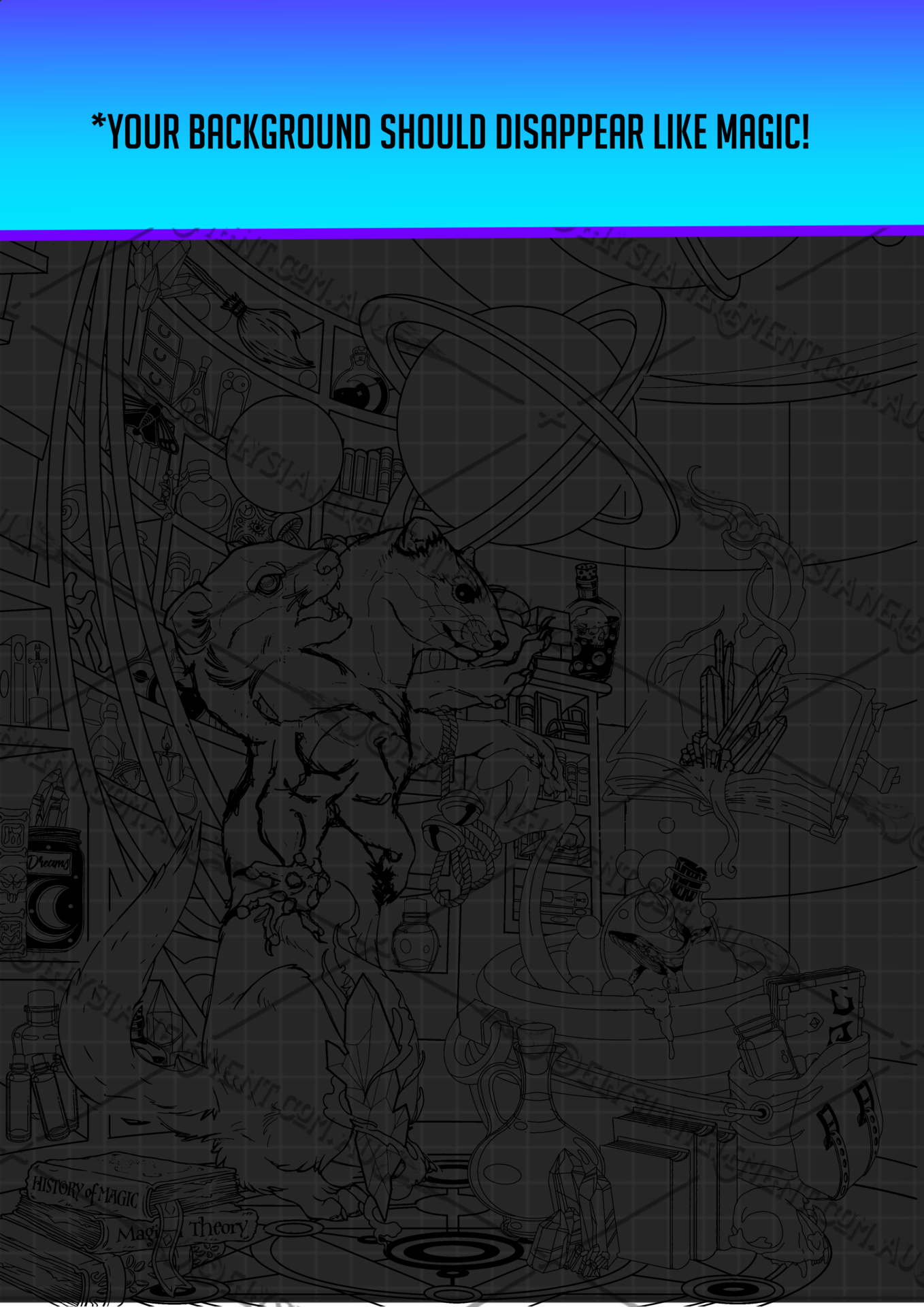
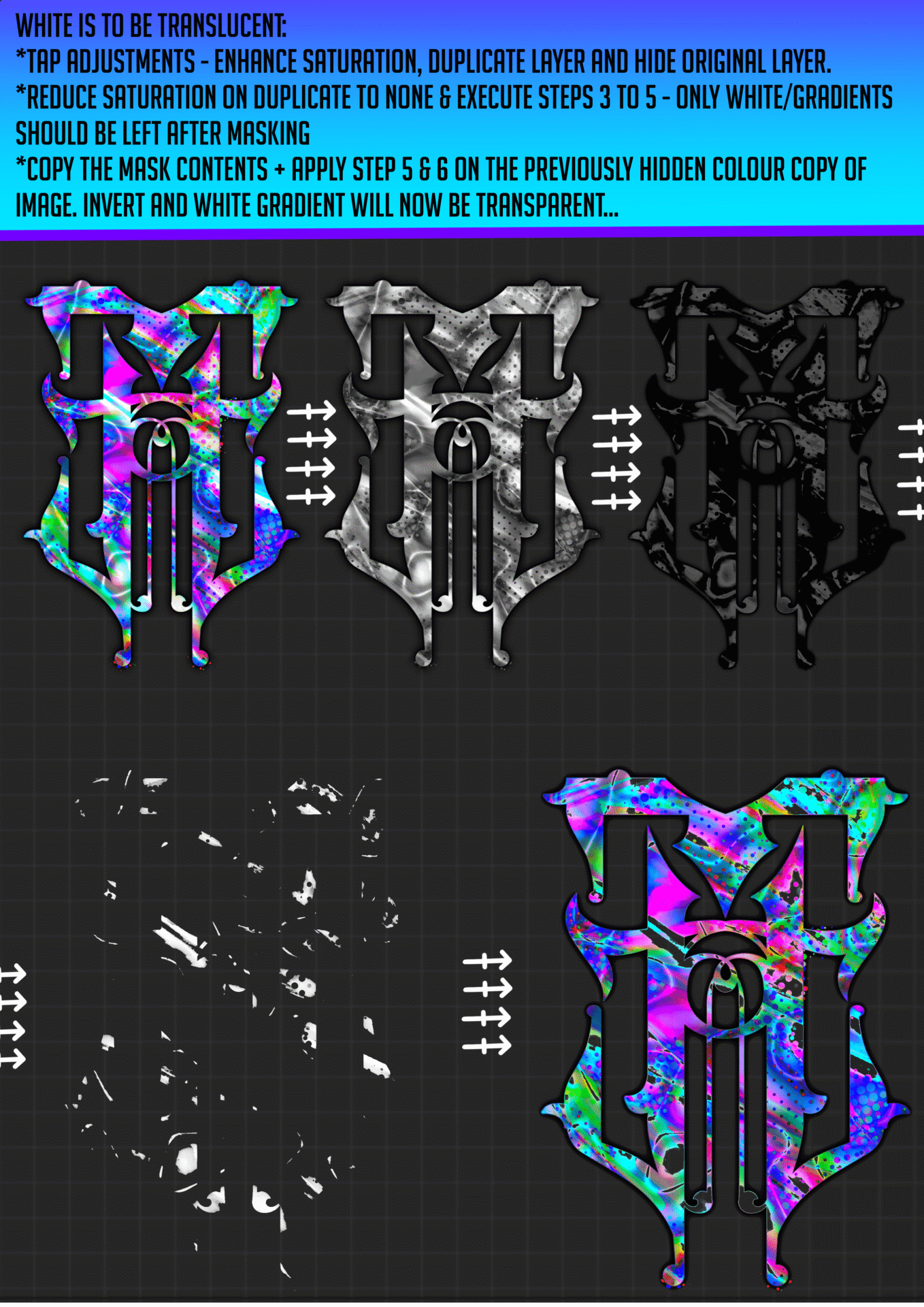
We’ve all done it, been so immersed in what we are drawing that we don’t notice the flawless lines we just spent hours perfecting have been done on a layer with a fill. ~ The horror ~ This is a simple work around I have put together as a tutorial that will hopefully help you understand how tweaking some settings with opacity and masks can work even more in your favour.
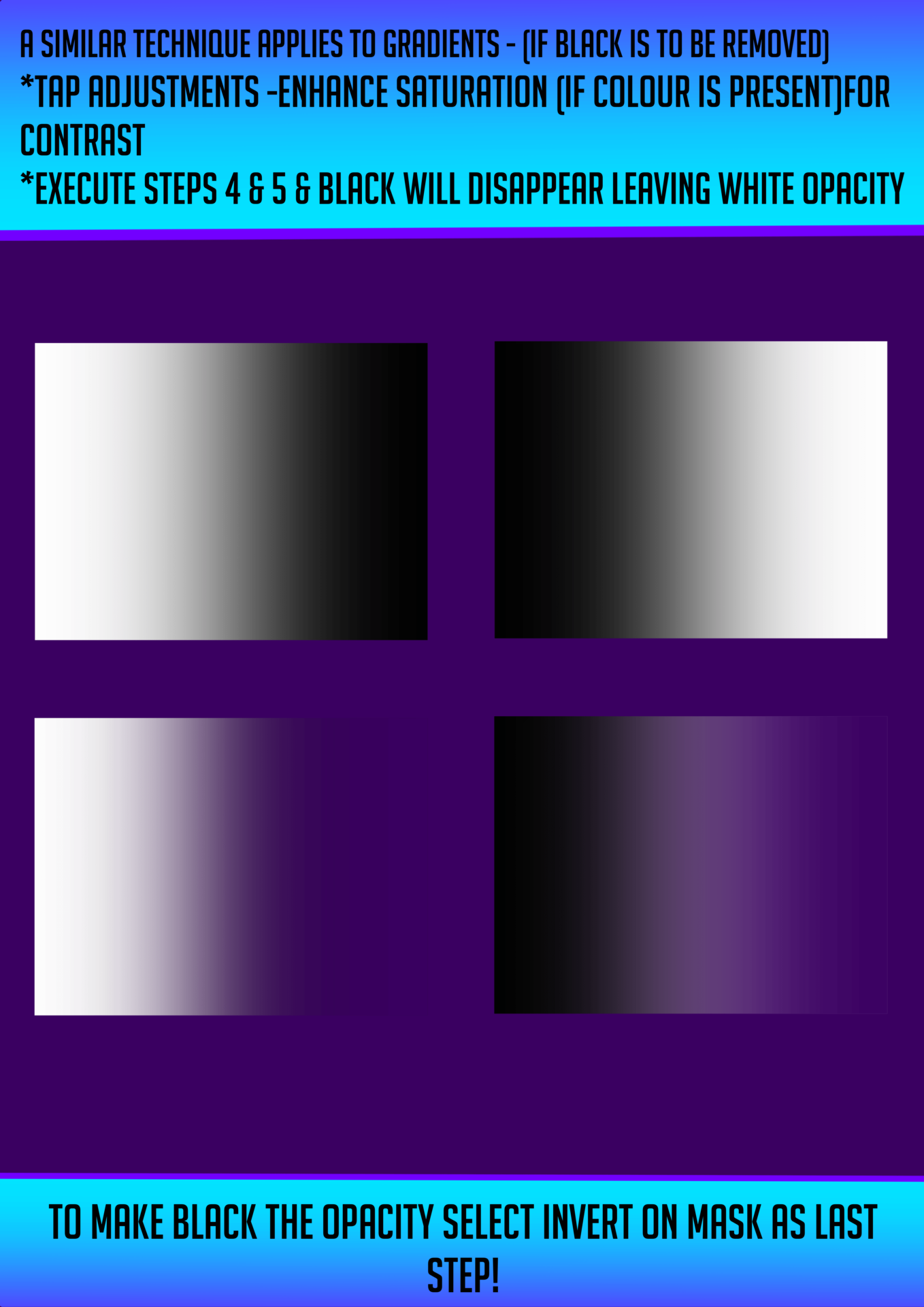
This tutorial will also give a basic understanding of how to use this trick to separate gradients for transparent elements & pngs.

If you’re looking to soften edges, add subtle shading, or create smooth blends in your Procreate artwork, mastering layer masks is essential. In this tutorial, I walk you step-by-step through how to use masks to control opacity in Procreate — without permanently erasing your artwork.

Instead of lowering opacity manually or brushing directly on your artwork, masks offer a non-destructive way to fade, erase and reveal with full control. This method is perfect for:

  • Shading and highlights

  • Feathered edges and soft transitions

  • Adding texture without altering the base layer

  • Creating depth and lighting effects

Using Procreate’s layer and clipping masks, I’ll demonstrate how to:

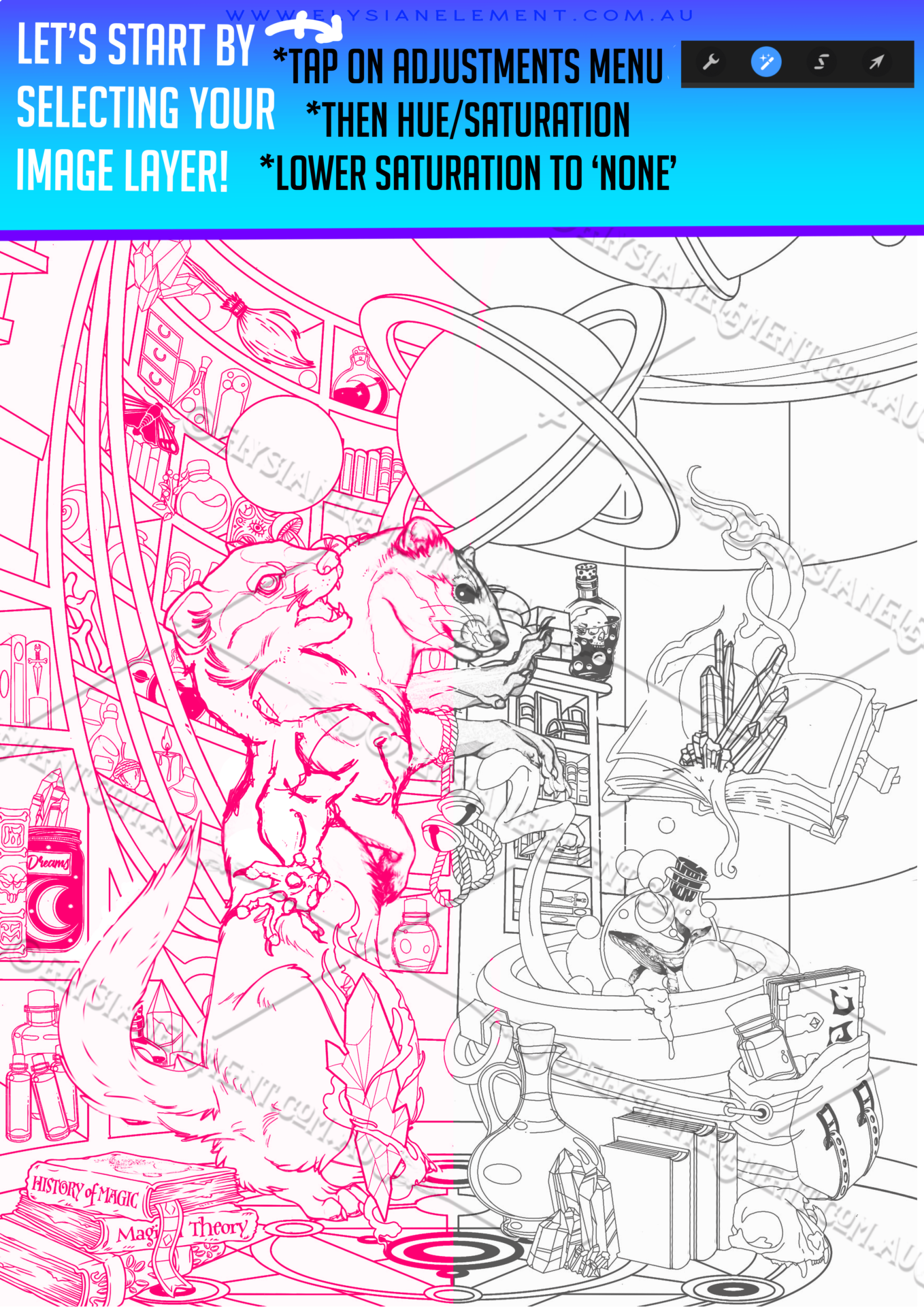
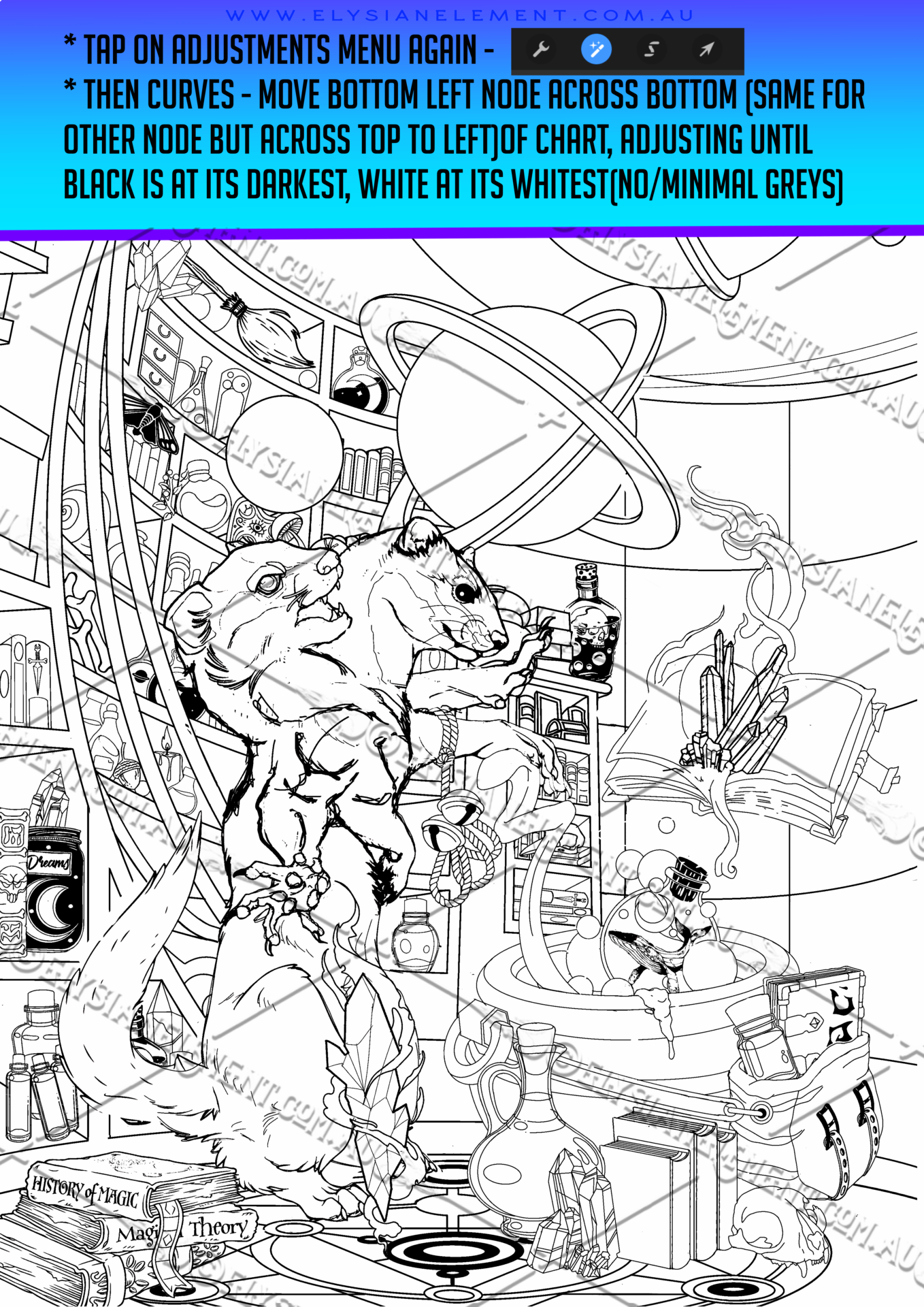
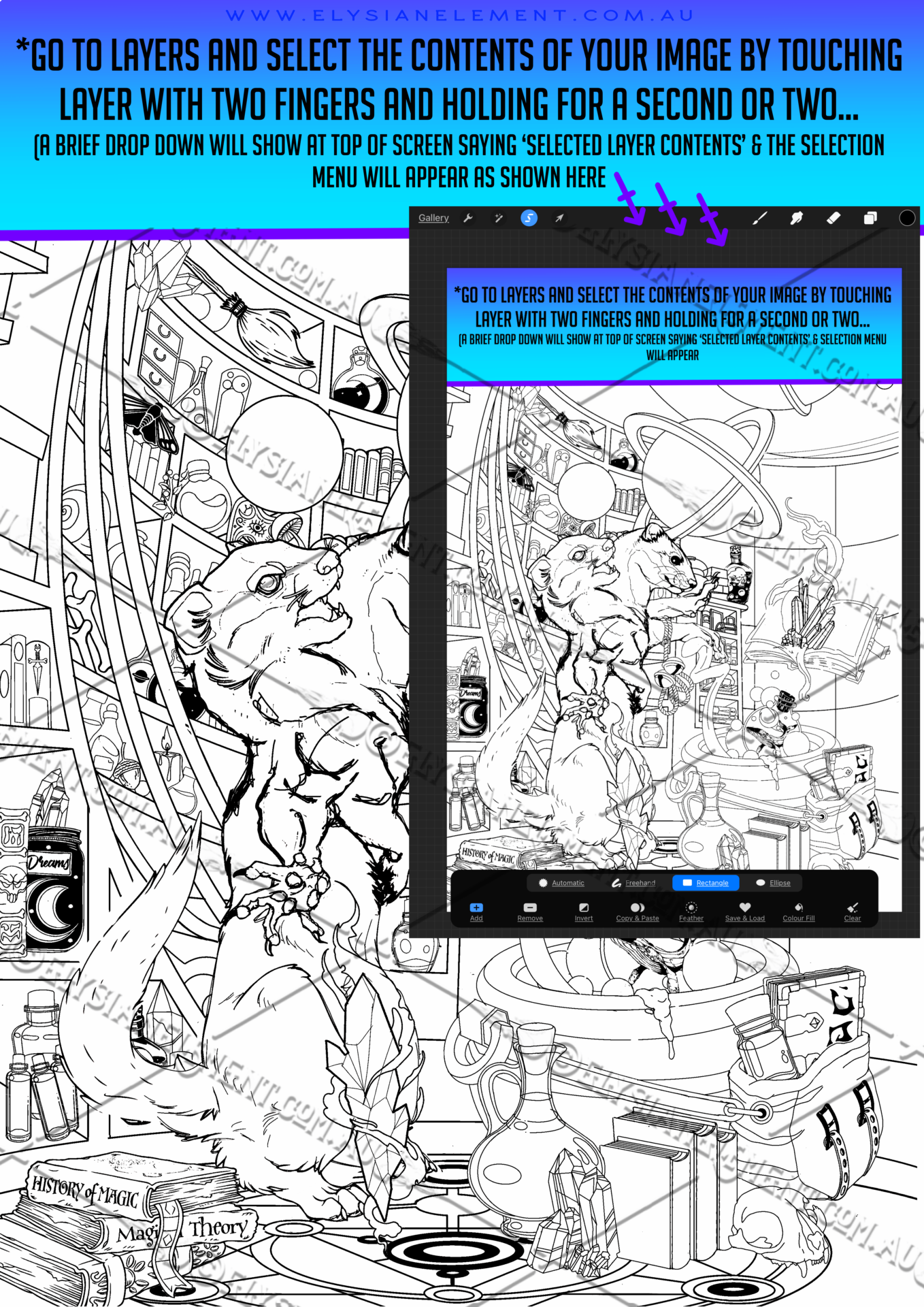
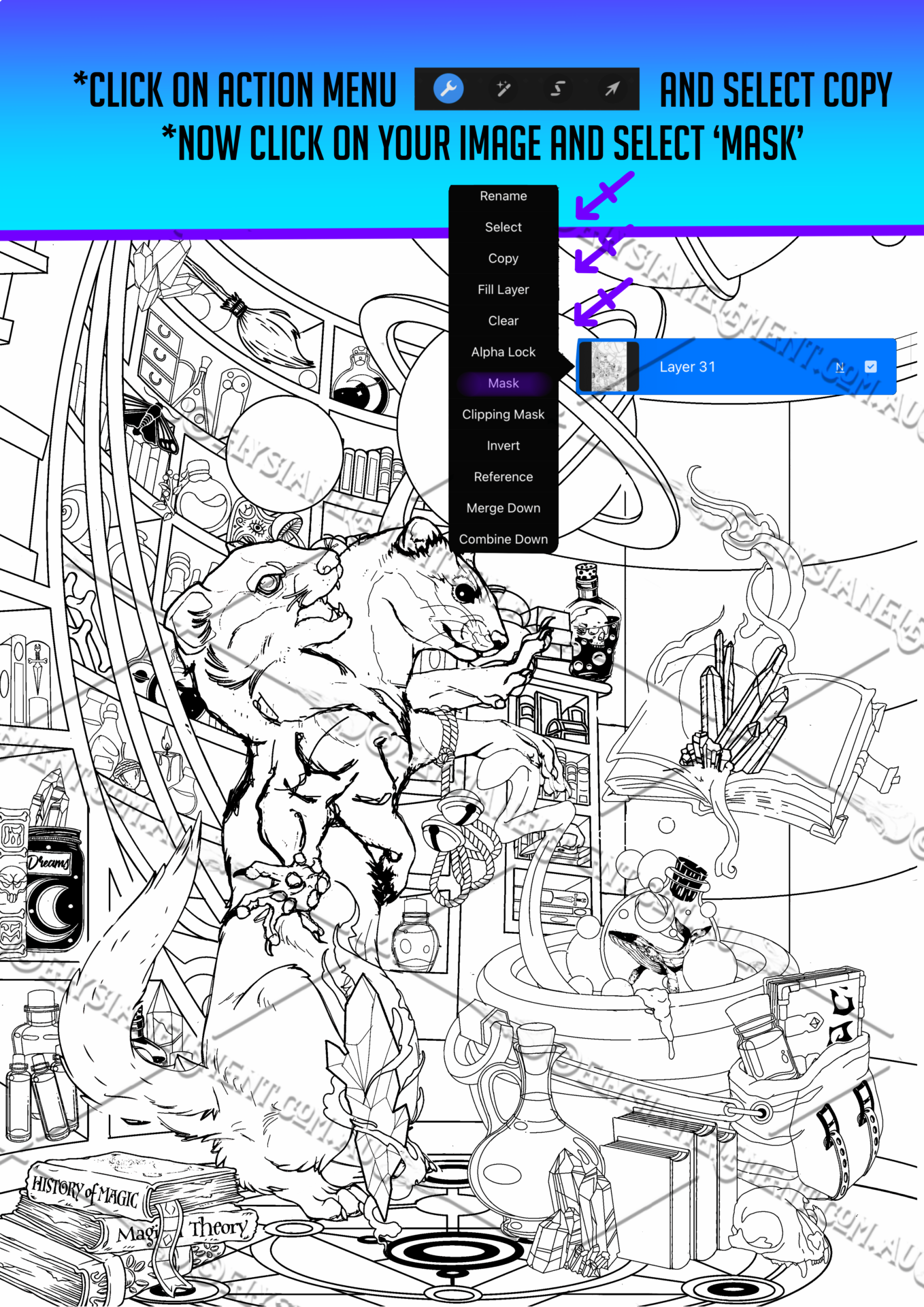
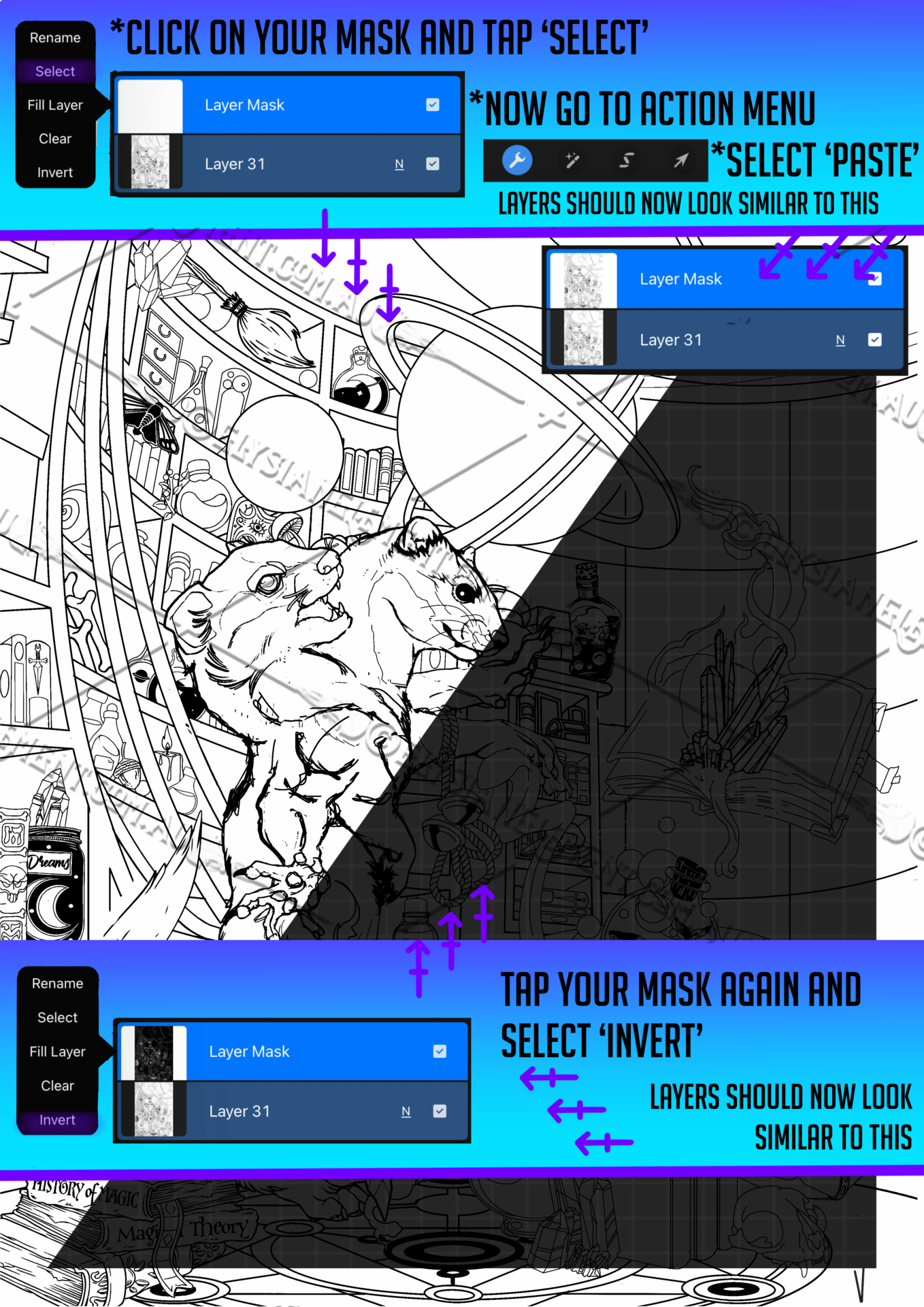
  1. Select layer content and add mask to selected layer content only

  2. Paint with black and white to hide or reveal areas

  3. Control transparency using black and white only

  4. Build complex effects using multiple masks

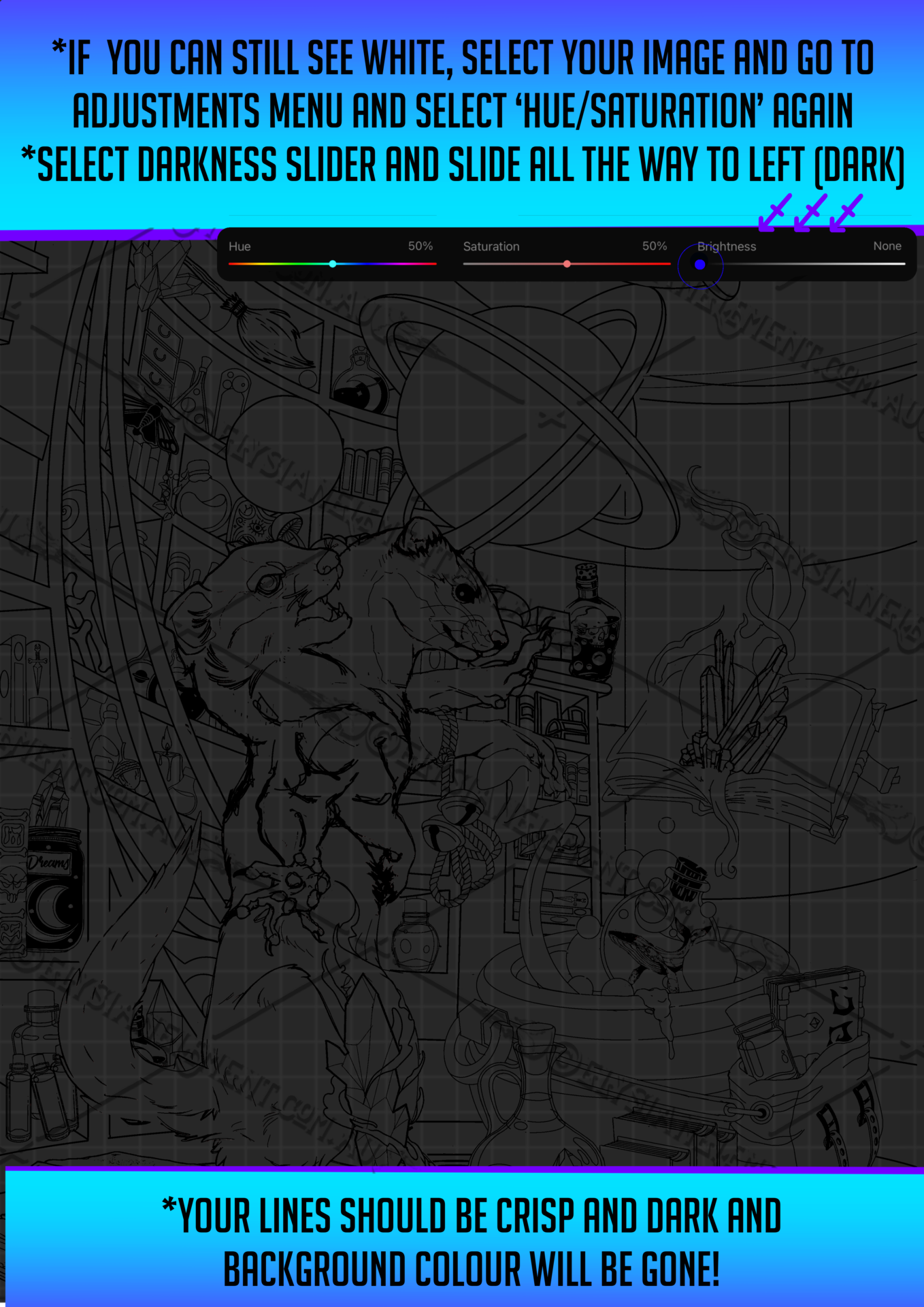
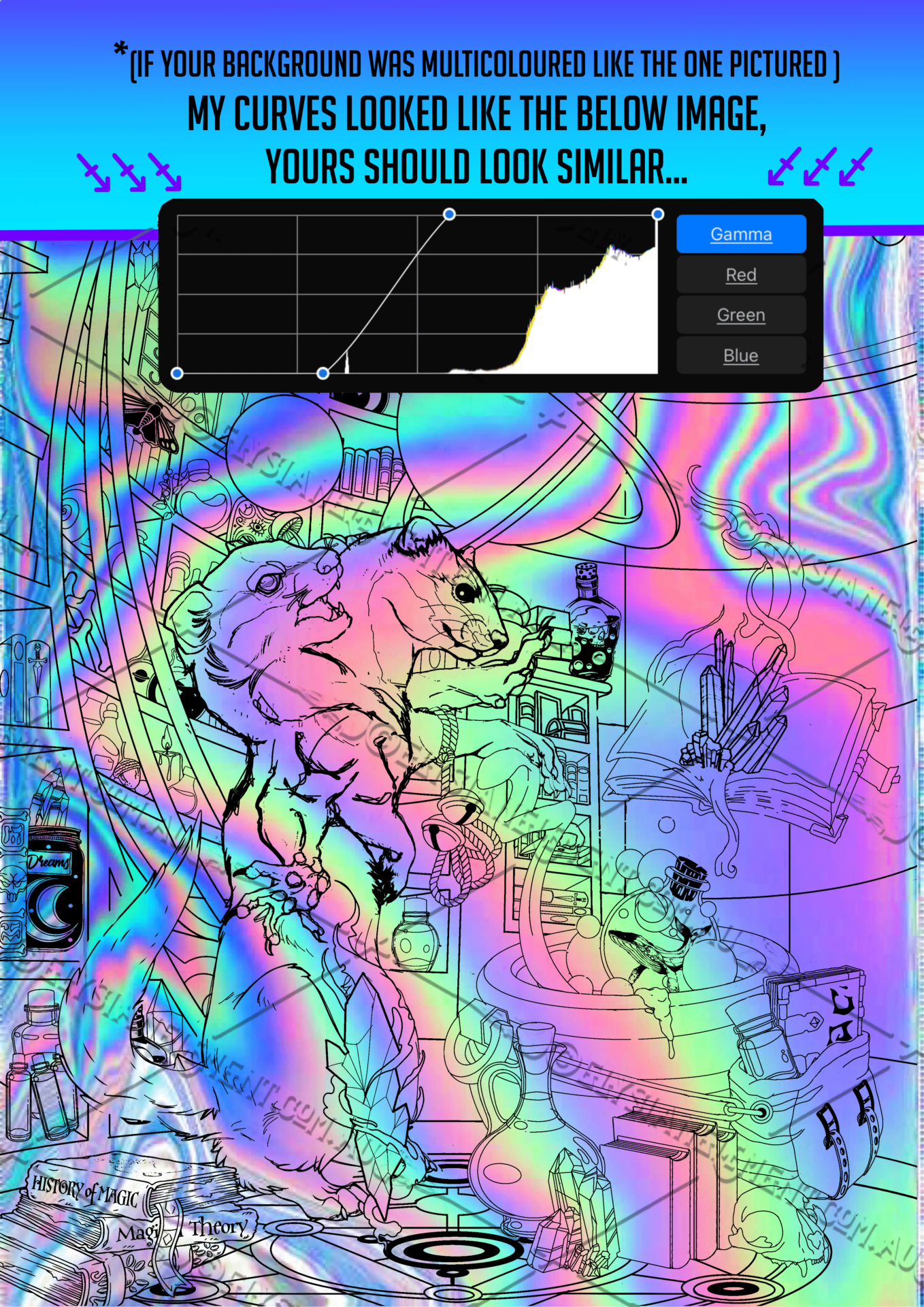
  5. Add selection to a masked layer and separate black from white
1
How to Use Masks for Opacity in Procreate
Procreate Tutorial: separate lines drawn on a fill_pg7
How to Use Masks for Opacity in Procreate
Procreate Tutorial: separate lines drawn on a fill_pg2
Procreate Tutorial: separate lines drawn on a fill
Procreate Tutorial: separate lines drawn on a fill_pg1
How to Use Masks for Opacity in Procreate
Procreate Tutorial: separate lines drawn on a fill_pg2
Procreate Tutorial: separate lines drawn on a fill_pg4
Procreate Tutorial: separate lines drawn on a fill_pg5
Procreate Tutorial: separate lines drawn on a fill_pg6
How to Use Masks for Opacity in Procreate
Procreate Tutorial: separate lines drawn on a fill_pg7
Procreate Tutorial: separate lines drawn on a fill_pg8
Procreate Tutorial: separate lines drawn on a fill_pg9
Procreate Tutorial: separate lines drawn on a fill_pg10
Procreate Tutorial: separate lines drawn on a fill_pg11
Procreate Tutorial: separate lines drawn on a fill_pg12
Last page of tutorial

Want more Procreate tutorials like this?


I create digital art guides, brush packs and step-by-step lessons for beginners and intermediate artists

=✪ ᆺ ✪=

🎨 Follow along or get in touch for custom tutorials!

∆ ∆

  • Art Nouveau floral mandala design Spring Mandala Older Post
  • elysian element tiger design- hue shift 2 Vector Tiger Logo Newer Post

• ALL ARTWORKS © COPYRIGHT OF JANELLE HICKSON 2025 | ELYSIAN ELEMENT •

  • Facebook
  • Instagram
  • Link

error: Content is Copyright protected !!